How to make an off-plan launch video without overpromising
To make an off-plan launch video, start from one rule: every view, finish and distance must come from the approved design. Review the film against the plans before it goes out. Then label it as a visualisation.
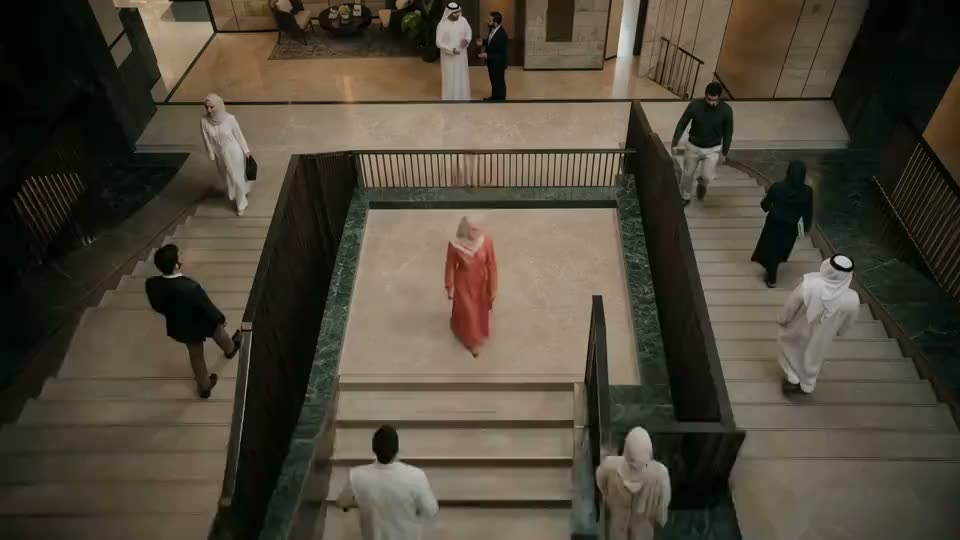 Made with AI
An off-plan film sells something that does not exist yet. That is why the risk is different from any other commercial. A buyer may rely on what the film shows, and later compare it with the finished building. So this guide to how to make an off-plan launch video starts with accuracy and treats the look as the second job.
Which films a launch needs, and what to send a studio, are covered on our real estate and off-plan page. This page is about keeping those films honest.
How to make an off-plan launch video in six steps
- Freeze the design. Name the approved revision of the plans. Everything in the film is checked against that revision, and nothing else.
- Write a fact sheet. One page: orientation, floor heights, unit sizes, finishes, amenities, phases, and any distance the film will mention.
- Approve style frames for every key space. Lobby, unit, terrace, amenities and approach. Check them against the plans before any motion starts.
- Generate, then compare. Check every shot against the fact sheet. AI drifts between shots, so a column can move and a window can grow.
- Run the full review. Use the checklist below, with the right people in it.
- Label it. Tell viewers it is a visualisation, on screen and in the copy.
Made with AIThe off-plan video checklist
Run this against the approved plans, shot by shot. A single no means the shot changes or goes.
| Check | The question |
|---|---|
| Views | Can this view be seen from this floor and this side of the building? |
| Orientation | Does the sun fall on the side the plans say it does? |
| Distances | Is every stated distance measured and dated, with the mode of travel named? |
| Neighbours | Does the film remove, shrink or invent nearby buildings? |
| Scale | Do ceilings, rooms and furniture match real dimensions? |
| Finishes | Is every material in the approved specification for this unit type? |
| Amenities | Is each one in the approved design, and in the phase being sold? |
| Landscape | Are trees and planting shown at a size they will have at handover? |
| Roads and access | Do roads, gates and transit exist or have approval? |
| On-screen text | Are all signs, numbers and supers correct, with no AI-garbled letters? |
| People and use | Does the activity shown match what the building will allow? |
Keep the signed checklist with the master. If a buyer or a regulator asks later, you can show what was checked and when.
Off-plan video mistakes that overpromise
Most of these do not come from bad intent. AI makes a scene look better by default, and nobody stops it.
- The invented view. The model adds a sea, a skyline or a park because the shot feels better with one. This is the most serious mistake on the list.
- The vanished neighbour. The tower next door simply is not there. Nor is the road.
- The shrinking distance. A line such as "minutes from the marina" with no measurement behind it.
- The wide-angle flat. Lens choice and undersized furniture make a small room feel large.
- The upgraded finish. The show-unit stone appears in a standard unit.
- The early amenity. A later phase appears as if it comes with this one.
- The mature garden. Ten-year trees on the day of handover.
- The stale revision. The design changed and the film did not. Check the revision number again just before delivery.
The fix is the same for all of them. Keep the architect's plans next to the edit, and give one named person the authority to reject a beautiful shot.
Visualisation rules for developers
Treat these as house rules, and check them against local advice.
Label it plainly. Use a line such as "AI visualisation. Based on the approved design." Keep it on screen, in the language of the audience, and repeat it in captions and descriptions. See our guide to labelling AI in ads for placement on each platform.
Separate mood from fact. A golden-hour lobby is mood. A terrace view is a fact about the unit. Mood can be generous. Facts cannot.
Get the right sign-offs. The architect or design lead confirms the design. The sales lead confirms the claims. Legal confirms the wording and the label. Your studio confirms every shot was checked. Four roles, whatever size your team is.
Check the rules in each market. Saudi Arabia and Egypt both regulate how property is marketed, and off-plan sales can carry their own conditions. In Saudi Arabia, start with the Real Estate General Authority rules. In Egypt, ask counsel about consumer protection and advertising rules. Do this before launch, as licences and wording may need to appear with the ad.
Why being accurate makes a better film
Buyers decide with feeling and confirm with facts. A good AI film carries the feeling. The brochure, the plans and the sales team carry the facts. If those two disagree, the sales team pays for it in every conversation.
Accuracy also makes production easier. A studio with a fixed design and a fact sheet spends its time on light, pace and story, and it stops arguing about what the building is. The same approach works for any launch film. See AI brand and launch films.
As a guide to scope, a two-minute brand or launch film with an AI voice and library music plans at SAR 8,000 to 13,000 (USD 2,100 to 3,400) Calculator estimate, before VAT. Exact real elements, extra languages and more versions all move it. Test yours in the budget calculator.
Off-plan launch video questions
Can an AI film show a view the plot does not have?
No. A view is a fact about the unit, so it must come from the approved design and the real site. Improve the light and the mood instead.
What if the design changes after the film is finished?
Check the master against the new revision, then replace the shots that no longer match. Take the old version down everywhere, including sales-centre screens and agents' phones.
Should an off-plan film say it is a visualisation?
Yes. Say it on screen and in the captions and descriptions. Viewers should never have to guess whether they are looking at a finished building.
Can we use AI video alongside our architectural renders?
Yes, and renders are a good starting point because they already reflect the design. Keep checking the motion against them, because generated shots can drift away from the source.