Seedance, Kling, Flow and Higgsfield: notes from production
As of October 2026, our pick for a commercial is Kling 3 Pro first and Seedance 2.0 second. Google Flow is where we go for volume. Models change monthly, so the date is part of the answer.
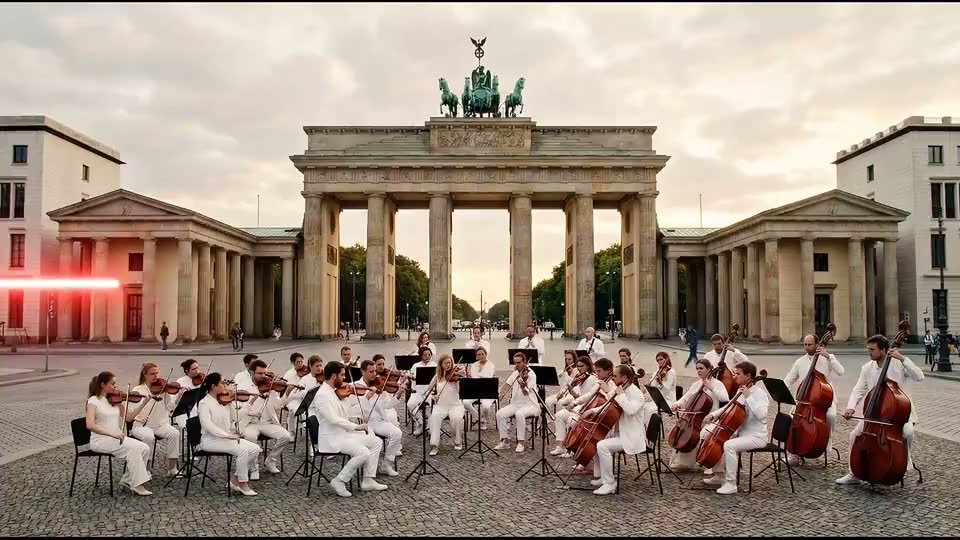 Made with AI
Seedance vs Kling is the question most buyers bring us, usually after seeing both names in the same week. Here is what we do and what we can back up. These are dated notes from production, not a benchmark. They cover the models as we used them in October 2026. We review this page every quarter, because a new version can change the order.
Seedance vs Kling for commercials
Our order as of October 2026: Kling 3 Pro first, Seedance 2.0 second. That order comes from our own quality tests on image-to-video. Kling 3 Pro is the first model we run on a shot, and Seedance is the next one we try if a shot will not come right.
Three practical notes from that work:
- Start from a frame. We make a keyframe still first, then animate it. A film then has a fixed look before any motion is spent. Both models take a start image in our workflow.
- Mind the billing. Kling bills a five-second minimum per clip, whatever length you ask for. Shorter shots do not cost less, so plan to trim in the edit.
- Compare the running cost. On a dry run in late October 2026, one five-second Seedance 2.0 clip at 1080p estimated at more than three times a Kling 3 Pro clip. That came from a static table which the tool itself marks unverified, so check current figures before you plan around it.
Neither model is a final answer. We use both on the same film when a shot calls for it. Search interest for Seedance 2.5 is already rising in Google Trends. Our notes are on 2.0.
 Made with AI
Google Flow: notes from one dated round
Flow is where we go for volume. It suits jobs that need many takes, and it gives natural sound with the picture. These notes are from one showreel round on 30 October 2026: Omni 1.1 Flash, 720p, eight-second clips, two takes per shot, natural sound with no music. Each run used 24 AI credits.
What happened on that round is more useful than any ranking:
- A take failed outright. One shot gave us only one usable result, so that was the select.
- Faces drifted. One take jump-cut to a different face. Its partner kept a consistent face, and that was the one we kept.
- People looked into the lens. One take had the subject turn toward camera, so we used the other.
- Instructions were read loosely. One take put a graphic on the building itself, when the brief said only on the phone. Another showed two lit elements where the shot called for one.
- Sound was uneven. One take had the best laughter of the round. Others came back quiet. One sat at about minus 42 dB. One was almost silent at about minus 52 dB and needed background sound added.
- We made a human error too. One run used the wrong start frame and had to be redone. A list of shots and filenames is part of the craft.
On several shots, only one of the two takes was usable. Plan a budget of takes, not a budget of clips.
Higgsfield: a different kind of tool
Higgsfield is not quite the same kind of thing. It is a platform that offers several video and image models in one place, including versions of Seedance and Kling, and it adds tools for marketing, such as avatars and ad formats. It is part of our kit. These notes do not rank it against the others. A fair comparison would have to name the model used inside it, since a platform's result depends on that choice.
For a buyer, the point is this. "We use Higgsfield" tells you little. Ask which model, on which shot.
What we look for in an AI video model
This is the checklist we would use for any new model. It is also a fair test if you are choosing a tool for your own team, or looking for the best AI video generator for ads.
| Test | What to check | Why it matters for a commercial |
|---|---|---|
| Start frame | Does the first frame hold, with no drift? | Your look is approved at the still stage |
| Faces | Does a person stay the same person? | Cuts fall apart if they do not |
| Hands and objects | Do they keep shape as they move? | Products and gestures must read |
| Text and logos | Does anything mutate? | Set type in the edit regardless |
| Direction | Does it do what was asked, and only that? | Fewer takes, fewer surprises |
| Camera | Do the moves feel planned? | Handheld wobble can look like a fault |
| Resolution | What does it deliver before upscaling? | Decides how far you must push it |
| Sound | Is it usable, or do you go silent? | We add sound in post on most films |
| Billing | Minimum clip length, cost of failed runs | Most takes get thrown away |
| Rights | What do the plan's terms allow? | Ask before you put a clip on air |
Run the same three shots through each model. Use one face, one product and one wide. Do not judge from a vendor's own showcase. Date your result.
The route matters too. A model can behave differently depending on where you call it from. For example, Sora 2 Pro takes no image input on OpenRouter, which rules it out of a keyframe workflow there. We have also set Veo aside on quality in our own tests. Those two facts are about our route and our films. They may not hold for yours.
What still needs a person
No model on this page does these jobs, and we do not expect the next versions to do them either:
- The idea. A model will animate a weak idea as well as a good one.
- Choosing. Someone watches each take and throws most of them away. A person approves every frame.
- Arabic. Script, dialect, voice and lip-sync need native ears. Our AI video production page explains who does what.
- Type. Titles, subtitles and claims are set in the edit, outside the model.
- Sound and pace. Music, effects and the cut are what make clips into a film.
- The label. Every AI film we make says so at the end.
If you would rather do this yourself, read AI video generator or a production company first.
Seedance vs Kling questions
Which is the best AI video generator for ads right now?
For our commercials as of October 2026, Kling 3 Pro first and Seedance 2.0 second. Run your own shots before you commit, because the answer changes with versions and with what is in your shot.
Is Google Flow good enough for a commercial?
We use it in real work when we need volume and natural sound. Our October round was at 720p, so plan for what your media needs. We check and select takes the same way as with any other model.
Will you use a specific model if we ask?
Tell us why, and we can discuss it. We tell clients which tools were used in their film, so nothing here is a secret.